
You’re a closer. Your day-to-day is the sales call: the structured conversation where you turn a qualified prospect into a client. Every call you take has already been booked by the prospect during or after a webinar; they filled out a form, left their contact details and answered qualifying questions. Those who didn’t book during the live session may get a call from a setter who turns a cold call into a warm call.
Closing enriched by webinar data is the ability to prepare every sales call using the behavioral data captured during the webinar (scoring, chat history, poll and quiz answers) on top of the self-reported data from the booking form.
So you already have basic data on your prospect: first name, last name, email, phone, sometimes their revenue, their situation, the reason they booked a call. That’s good. But is it enough to close effectively?
The truth: the booking form data gives you the “who” and the “stated why.” But it tells you nothing about the prospect’s actual behavior during the webinar. How long did they stay? Did they ask questions in the chat? What’s their engagement score?
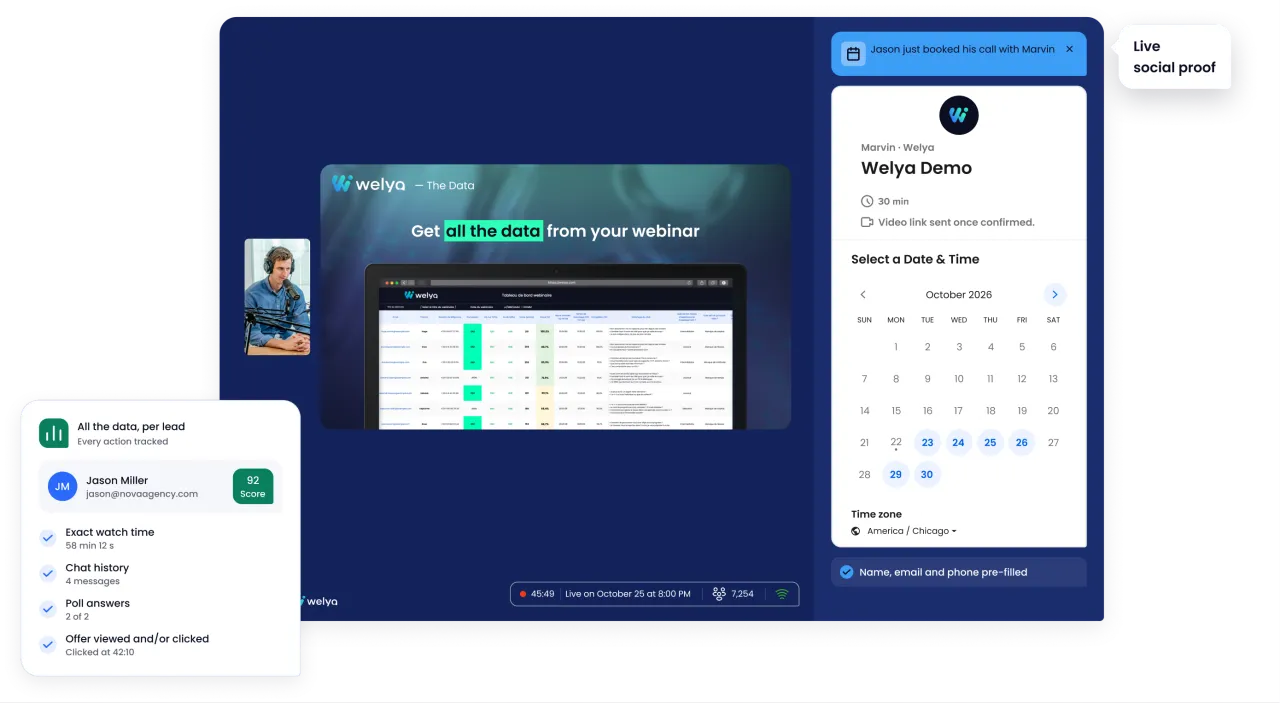
What if you could complete your qualification file with the full replay of what a prospect did, said and felt during the webinar, before you even start your call? Welya isn’t a classic closing software; it’s the webinar platform that gives closers the prospect data they need. That’s exactly what Welya makes possible. With nearly 30 data points per attendee, sent to your CRM after each event (webhooks, Make, export), Welya gives closers an extra layer of intelligence: behavioral data on top of qualification data. It’s the closer tool that turns every webinar into a source of pre-qualification for your calls.
What you already have vs. what Welya adds
Booking form data (what you already have)
When a prospect books a call during a webinar, they usually fill out a qualification form. Depending on the infopreneur’s setup, you receive:
- First and last name
- Email address and phone number
- Current revenue or budget
- Professional situation (employee, freelancer, entrepreneur)
- Reason for booking the call
- Sometimes: goals, obstacles, experience level
It’s a good starting point. But this data is self-reported: the prospect wrote what they were willing to share, in a standardized form.
Welya behavioral data (what you gain on top)
Welya captures the prospect’s actual behavior during the webinar and sends it to your CRM (webhooks, Make, export).
| Category | Welya data | What it gives the closer on the call |
|---|---|---|
| Time engagement | Watch time, arrival time, departure time | Know whether the prospect watched the whole webinar or missed key parts |
| Chat | Full history of messages sent | Learn their real questions, doubts and interests |
| Polls | Answers to every poll run during the live session | Profile, real budget, identified obstacles (more spontaneous than a form) |
| Quizzes | Answers to interactive quizzes | Assess their real skill level on the topic |
| Scoring | Automatically calculated overall score | Gauge overall engagement in a single number |
| Label | Participation status shown in the chat | Spot highly engaged prospects to adjust your tone |
| Reason for leaving | Exit reason (if provided) | Understand why they left at a specific moment |
The power of combining: qualification + behavior
A closer’s real strength is cross-referencing both sources:
- The form says: “Revenue of 50K, wants to scale their business”
- Welya says: “Score 92, asked 3 questions about pricing in the chat, stayed until the end”
Interpretation: This prospect is ready. Your call will be short and decisive if you go straight to ROI.
On the other hand:
- The form says: “Revenue of 50K, wants to scale their business”
- Welya says: “Score 35, left after 20 minutes, no messages in the chat”
Interpretation: This prospect may have booked on impulse. You need to start from the beginning and check how interested they really are.
4 concrete techniques for using Welya data in closing
Technique 1: Personalize your opening with the chat history
The webinar chat is a gold mine. It reveals the prospect’s real concerns.
Method: Before each call, read your prospect’s messages in the chat. Identify their main question. Use it as your opening hook.
“Hi Marie, thanks for booking a call. I saw that during the webinar, you asked how to balance a full-time job with launching a business. It’s something we help a lot of people with, so I wanted to start there.”
Why it works: You show that you’re not a generic salesperson. Trust builds from the very first seconds.
Opening variations:
- “Your comment about [topic] was really insightful, I’d love to dig into that with you”
- “I noticed you were especially interested in [theme] during the live session”
- “You asked a question about [objection] that a lot of our clients also had at the start”
Technique 2: Anticipate objections with poll answers
Webinar pre-qualification also happens through polls. The answers are often more spontaneous and honest than those on a qualification form. They can also reveal the objections your sales pitch didn’t handle.
Method: Cross-reference the poll answers with the form answers. If they don’t match, that’s an important signal.
| Poll answer | Form answer | Interpretation | Action on the call |
|---|---|---|---|
| “Limited budget” | “Budget: $5,000” | Budget exists but doubts the ROI | Lead with concrete results |
| “I want to think about it” | “Scaling my business” | Strong motivation, needs security | Guarantee or gradual commitment |
| “I use a competitor” | “Unhappy with my current solution” | Actively looking | Precise comparison vs. current solution |
| “I’m a complete beginner” | “Revenue: 100K” | Impostor syndrome | Reassure and highlight their experience |
Technique 3: Calibrate your approach with scoring
Welya automatically assigns a score to each attendee. Check it before the call to adjust your stance.
| Welya score | What it reveals | How to adapt your call |
|---|---|---|
| 80-100 | Highly engaged prospect, followed everything | Direct close. Focus on the decision |
| 50-79 | Interested but with doubts | Consultative. Answer their questions, medium-length call (1 hr) |
| 0-49 | Barely engaged, possibly an impulse booking | Requalify first, exploratory call (30 min) |
Technique 4: Create personas for your call scripts
Rather than a single script, use Welya data to create conditional scripts. The same data can also help copywriters write the pages and emails for your next webinar.
| Profile | Welya + form criteria | Call approach | Length |
|---|---|---|---|
| The convinced | Score 80+, lots of chat interactions | Direct: handle the last objection and close | 30-45 min |
| The analyst | Score 60-79, questions in the chat | Consultative: answer point by point | 1 hr |
| The curious | Score 40-59, little chat activity | Exploratory: dig into the real need | 30-45 min |
| The impulse booker | Score < 40, few interactions | Requalification: check their interest | 30 min |
Tip: After each closing session, analyze which profile converts best and refine your scripts.
Automatic integration with your CRM
Data merged into your CRM
All the prospect data captured by Welya is sent to your CRM (webhooks and Make, GoHighLevel app, ActiveCampaign tag) and attached to the contact already created when the call was booked.
Compatible tools
- CRM: GoHighLevel (dedicated app); Pipedrive, Salesforce, HubSpot, Zoho via Make
- Calendar / booking: Calendly, Cal.com, GoHighLevel calendar
What this changes in practice
Before your call, you open the prospect’s record in your CRM and see two layers of information:
- Qualification data (booking form): name, phone, revenue, reason for the call
- Behavioral data (Welya): score, chat history, polls, quizzes, label, watch time, reason for leaving
You go from “I know the prospect’s stated profile” to “I know their profile AND their actual behavior during the webinar.”
That means:
- Less time spent requalifying
- More time devoted to pure closing
- A better conversion rate
- Higher monthly revenue
Recap: before Welya vs. with Welya for closers
| Criterion | Without Welya | With Welya |
|---|---|---|
| Data per call | 5-8 (form) | 5-8 + nearly 30 behavioral data points |
| Approach calibration | Same for every call | Adapted to score and profile |
| Personalization | Based on the form | Chat, polls, quizzes + form |
| Objection anticipation | None | Polls + form cross-referenced |
| Engagement insight | Unknown | Score, time, interactions, label |
| Average call length | Longer (requalification) | Shorter (prospect already understood) |
| Closing rate | Standard | Better prepared |
| CRM integration | Form only | Form + behavioral data |
| Continuous improvement | Limited | Analysis by profile, score, script |
Conclusion: closing powered by behavioral data
The closer who shows up to a call with the form data AND the prospect’s actual behavior during the webinar has a decisive advantage. They personalize their approach, anticipate objections and close faster. Welya doesn’t replace your closing skills; it amplifies them with data.Discover Welya and turn every call into a qualified closing opportunity. For a real-world example, read Welya customer reviews, including one from Striker Agency, a closing and sales agency. Working with several course creators? The Welya affiliate program pays you on subscriptions that come through your link, under the program’s terms.