
In short. Whoscale is an ad intelligence (ad spy) tool that aggregates advertisers, their ads and, above all, their sales funnels by niche. For a course creator who sells through webinars, it’s a gold mine: you filter the “webinar” and “challenge” funnels in your market, you see who’s running ads right now and with which tools, and you model what’s already converting for your competitors. A game-changing new feature: Whoscale now connects to Claude (via MCP), so you can query the entire database in plain language and export your competitors to an Excel file in seconds. This article breaks down a real use case, then compares Whoscale with the other tools on the market.
If you run sales webinars, you’ve probably felt this frustration: you know some competitors are crushing it in your niche, but you have no visibility into how they do it. Which ads are running? What funnel sits behind them? How much are they spending? Flying blind, you test, you burn budget, you pray.
That’s exactly the problem Whoscale solves: a tool we use internally at Welya to understand the sales webinar market. I’m Mathieu, Welya’s CMO, and in the walkthrough video below I show you exactly how to use it. This article takes the demo and breaks it down step by step, then sizes Whoscale up against its competitors.
What is Whoscale?
Whoscale is an ad intelligence tool specialized in market intelligence for creators and course creators. Rather than simply archiving ads like a giant library, it cross-references three key elements: creators (who’s spending), ads (what they’re running) and funnels (where those ads send traffic). It’s this third building block, the funnel tracker, that makes it especially relevant for anyone who sells through webinars.
According to Whoscale, the platform claims the largest sales funnel database in the world: from the very first ad all the way to the final checkout. It’s a very recent piece of software, but it already works extremely well, and Welya is proud to be a partner.
Whoscale is built around three main tabs:
- Creators: the list of advertisers (top creators in Europe, the US or worldwide), with their best-performing ads. Sortable and filterable by region, niche, status (live or not), language, monthly visits, and more.
- Ads: a complete rundown of every ad currently performing (Europe, US, worldwide), filterable by advertiser or keywords.
- Funnel tracker: the journey behind the ad: funnel type (webinar, challenge, VSL, quiz…), technologies used, launch date.
How to use Whoscale to spy on the webinars in your niche
Here’s the exact method, taken step by step from the video demo. The goal: isolate the competitors who sell through webinars in your market and understand their setup.
Step 1: Filter for the funnels that matter to you
In the Funnel tracker module, select the funnel types that match your business. For sales webinars, two filters are essential:
- Webinar (webinar funnel): the classic sales presentation.
- Challenge (challenge funnel): the multi-day challenge format that ends with an offer.
Whoscale offers plenty of other funnel types, but by staying focused on webinars and challenges, you only look at what matters to you.
Step 2: Turn on the “active ads” filter
Add a filter on the presence of active ads. This is valuable information: a competitor running ads right now is a competitor who’s investing and validating their funnel. You instantly separate the players who are moving from those who have stalled.
Step 3: Filter by technology (the stack)
Whoscale shows you which technologies each player uses to run their webinars: their webinar tool, their CRM, their funnel builder, and so on. That way, you can compare the people you admire and see which tools they use.
💡Good to know: Welya is now listed in Whoscale’s technology database. So you can filter directly for webinars powered by Welya.
Step 4: Narrow down by niche and growth signals
Select your niche (business/entrepreneurship, finance, health, pets…) so you only compare yourself with your real competitors. Then cross-reference with signals like region (Europe, US, worldwide), scaling (whether or not the funnel is scaling), language, reach, monthly visits, traffic trend (up or down) and the funnel’s age. The “most recent” filter is especially useful: it reveals players who have just launched their ads. You end up with a qualified list of people selling a webinar in your exact space.
Step 5: Open a competitor’s profile
Click on a player to access their full profile. For example, on a big fitness advertiser, you can see more than 1,500 active ads and several million followers: a massive volume. On this profile, you’ll find:
- The funnel’s launch date and last update.
- The current reach of their ads and their activity curve over time, so you can see whether they’re speeding up, slowing down, or pushing hard in a given month.
- Every ad, playable right there: you turn on the sound, you see the amount spent, and you understand the person’s creative strategy (what they’re testing, what’s innovative).
- The complete funnel with all the links tied to the ads, so you can analyze their sales journey end to end.
- The number of followers, the tool stack used, and an overview of the whole setup.
💡The “Organic” module is available on Whoscale: it complements the paid view with creators’ organic content.
Step 6: The “Spy” button, a competitor’s entire setup in one click
On an interesting funnel, the “Spy” button opens a detailed tracking sheet. There you can follow:
- The creator profile (with access to their full profile) and their niche.
- The number of active ads today and the days of activity.
- The scaling status: is it stable, scaling, or declining?
- Daily spend: a figure made public at the European level, so it’s reliable to use.
- Monthly visits and the person’s tags.
- The “View funnel” and “View ads” buttons to jump straight to the details.
And if Whoscale detects that the competitor uses a specific tool (systeme.io, or Welya for their webinars), that information shows up directly on the profile.
Step 7: Model, don’t copy
The idea behind Whoscale is to go get the information from your competitors: see who’s succeeding with their ads and funnels, then draw inspiration from them to test it in your own business. We’re talking about modeling a structure that works, not copying a script word for word (legally risky and, above all, less effective than adapting it to your voice and your offer). On the copy side, the data from your own live sessions can then help you write copy that converts.
The game-changing new feature: Whoscale × Claude (MCP)
This is the feature that just came out and that, for us, changes the game: Whoscale can now be connected to Claude (via MCP): the protocol that links an AI to an external database. In practice, you plug Whoscale straight into Claude Code (or a compatible Claude client) and you query the entire Whoscale database in plain language, without touching a single manual filter.
What is MCP? The Model Context Protocol is an open standard that lets an AI directly access an external tool and its data. Once Whoscale is connected to Claude via MCP, the AI can search, cross-reference and return Whoscale data for you.
A real use case (from the video)
In the video, the prompt sent to Claude was:
“Give me everyone who is currently a course creator, who launches and runs webinars and challenges, and who has live ads. Add their Instagram account for each profile and put it all together in an Excel file. Ask me questions to be more specific if needed.”
Claude starts by asking a few scoping questions, then runs the query through the Whoscale connection. The result in the demo: a complete 132-row Excel file, including 87 high-confidence profiles and 16 medium-confidence ones: with each profile’s linked Instagram account. All generated automatically, straight from the Whoscale database.
Why it’s a paradigm shift
- You go from clicks to language. No more stacking ten filters: you describe what you’re looking for, and the AI turns it into a query on the database.
- You get a usable deliverable, not just a screen to read: a clean Excel file, qualified by confidence level, ready for your prospecting or your analysis.
- You cross-reference data (active ads + funnel type + social media) in a single request.
- You run it on your niche and identify in seconds who’s running webinars right now, and who has stalled.
This is exactly the kind of analysis that used to take hours by hand and is now instant. For a course creator, a media buyer or a closer who wants a fresh, qualified list of targets, it’s formidable.
Comparison: Whoscale vs other ad intelligence tools (2026)
Whoscale isn’t the only ad spy tool on the market. But for a course creator who sells knowledge (not physical products), the selection criteria aren’t the same as for a dropshipper. Here’s what really matters, followed by the comparison.
The 4 criteria that matter when you sell knowledge
- Funnel visibility: see the full journey after the click, not just the ad.
- Spend intelligence: identify who spends the most per creator in your niche.
- Real niche filtering: coaching / training / finance categories, not recycled e-commerce sections.
- Tech stack detection: detect which tools (webinar, CRM, builder) run behind a funnel.
Comparison table
| Tool | Spend per creator | Funnel analysis | Tech stack filter | AI connection (MCP) | FR / EU coverage | Platforms | Free plan | Approximate price |
|---|---|---|---|---|---|---|---|---|
| Whoscale | Yes | Yes | Yes | Yes | Yes | Meta | Yes | Free → $57 / $97 / $157 per month ($40 / $68 / $110 billed annually) |
| Atria | No | No | No | No | Partial | Meta + TikTok | No | $129/month (billed annually) |
| Foreplay | No | No | No | No | Partial | Meta, TikTok, LinkedIn, YouTube, Google | No | From $49/month |
| Minea | No | Partial | No | No | Yes | Multi-platform | Partial | $49-199/month |
| AdSpy | No | No | No | No | Partial | Meta | No | $149 |
Tool-by-tool breakdown
Whoscale, the best for creator market intelligence.
It’s the only tool on the list that combines spend rankings per creator and a funnel database you can filter by tech stack, now searchable in plain language via Claude (MCP). Ideal for monitoring webinars in a niche.
Strengths: funnel tracker, genuine niche filters, AI connection (MCP), free plan to get started, frequent updates.
Limitations: focused on Meta, estimated spend (orders of magnitude, not exact figures), US coverage still thin.
Pricing: a free plan, then three plans: Starter at $57/month, Pro at $97/month and Business at $157/month ($40, $68 and $110/month billed annually; prices checked on whoscale.io on October 20, 2026). MCP access is reserved for the Pro and Business plans.
Atria, the best for creative analysis and hook research.
AI-assisted creative analysis, hook scoring. But no spend rankings, no funnel analysis, no course creator filters. A creative add-on, not an in-depth competitive intelligence tool.
Foreplay, the best for a team ad library.
Saves and organizes ads into boards (Meta, TikTok, LinkedIn, YouTube, Google), with a passive competitor tracking feature. It’s an organization tool, not a funnel/spend intelligence tool.
Minea, the best for broad multi-platform coverage.
Popular in French-speaking markets, a database of more than 10 million ads, multi-platform. But designed first and foremost for e-commerce: funnel analysis remains shallow and there’s no creator ranking.
AdSpy, the biggest raw database, but with no niche intelligence.
The largest database on the market (more than 212 million ads, 225 countries). Excellent for digging through a competitor’s history, but zero niche intelligence, no funnels, no spend data, and tedious manual search.
Whoscale vs Minea, the key difference: Minea is first and foremost an e-commerce product research tool that also indexes info-product ads. Whoscale, on the other hand, was designed from day one for the creator and course creator market, which changes everything when your product is a webinar.
The winning workflow: monitor → model → sell
A monitoring tool alone won’t get you results. What pays off is the loop. Here’s how the Welya team applies it.
- Monitor: In Whoscale, filter your niche over the last 30 days, spot the 5 to 10 competitors spending the most on webinars, and set up tracking. Even better: run the query through Claude (MCP) and get the list straight into Excel.
- Model: Filter by tech stack, study the high-volume funnels and reverse-engineer their conversion architecture (webinar structure, offer sequence, waiting room, close).
- Sell: This is where it all comes together. Once your webinar is modeled, you need a platform built to convert that hard-won traffic. That’s exactly Welya’s role.
Welya: others broadcast, Welya converts
You’ve identified what works for your competitors thanks to Whoscale. Now you need to broadcast it on a platform that matches your ambition.
The problem is that your current live tool is a black box. You stream a video, you see a viewer counter, and that’s it. Who was ready to buy? Who clicked on the offer without following through? No trace.
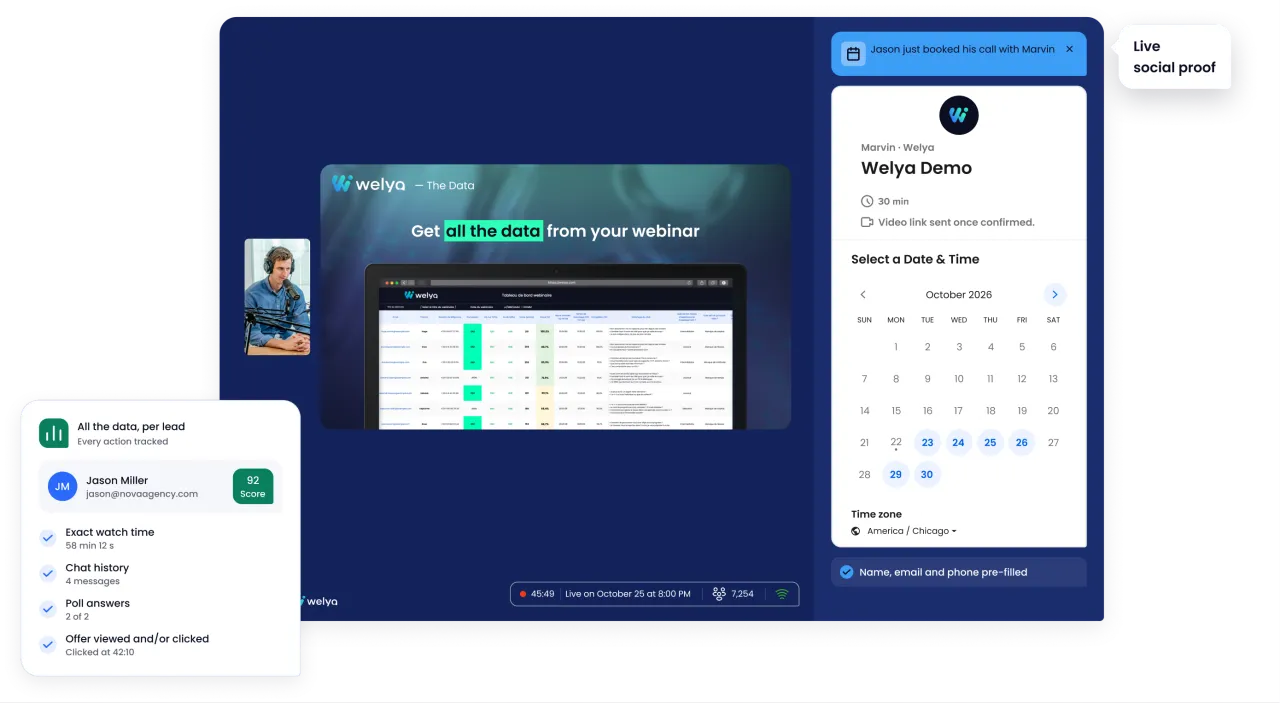
Welya is the live and evergreen webinar platform built for a single goal: turning blind broadcasting into data-driven conversion. Every message, every poll answer, every click on the offer: Welya tracks it all, prospect by prospect.
In practice:
- Every signal captured, prospect by prospect: attendance, chat, polls, clicks on the offer: nearly 30 data points per attendee, exported to your tools.
- You follow up with the “almost buyers”: those who clicked on the offer without following through are identified and can be contacted again. That’s where your next sales are hiding.
- Automatic viewer scoring: every prospect is scored, the hottest at the top, and your closers check their history before the call. No more blind calls.
- Social proof captured and broadcast live: a notification for every purchase or booked call, a special label in the chat: every conversion triggers the next one.
- Offer A/B testing: one webinar, two versions of the offer tested side by side during the live session.
- Your visual identity (logo, colors, light or dark theme), your brand, not the tool’s.
- Smart waiting room (quizzes, attendance counter) and end-of-live page with your offer.
- AI working for your webinar: answer 5 questions and the AI prepares a complete webinar: title, waiting room, quiz, offer, polls and labels.
- Connects to your stack: GoHighLevel, ActiveCampaign, Make, YouTube Live, and a prefilled offer link (last name, first name, email, phone) to your payment and booking tools (Calendly, iClosed, systeme.io…).
It’s the combination of data + conversion + branding + AI that makes Welya the French alternative built for course creators, agencies, coaches and trainers who really want to make their webinars pay off.