
You write the landing pages, the email sequences, the social posts, the post-webinar follow-ups. You’re the voice of the course creator or trainer before, during and after every event. Your copy determines how many people sign up, how many come back after the live session, and how many end up buying.
Data-driven copywriting applied to webinars is the ability to write every piece of copy (landing page, follow-up email, social post) based on the real behavioral data of attendees: what they said in the chat, how they answered the polls, how long they stayed, and what made them drop off.
Except today, you’re writing blind. You don’t know what happened during the webinar. You don’t know the audience’s real objections. You rely on theoretical personas and guesswork.
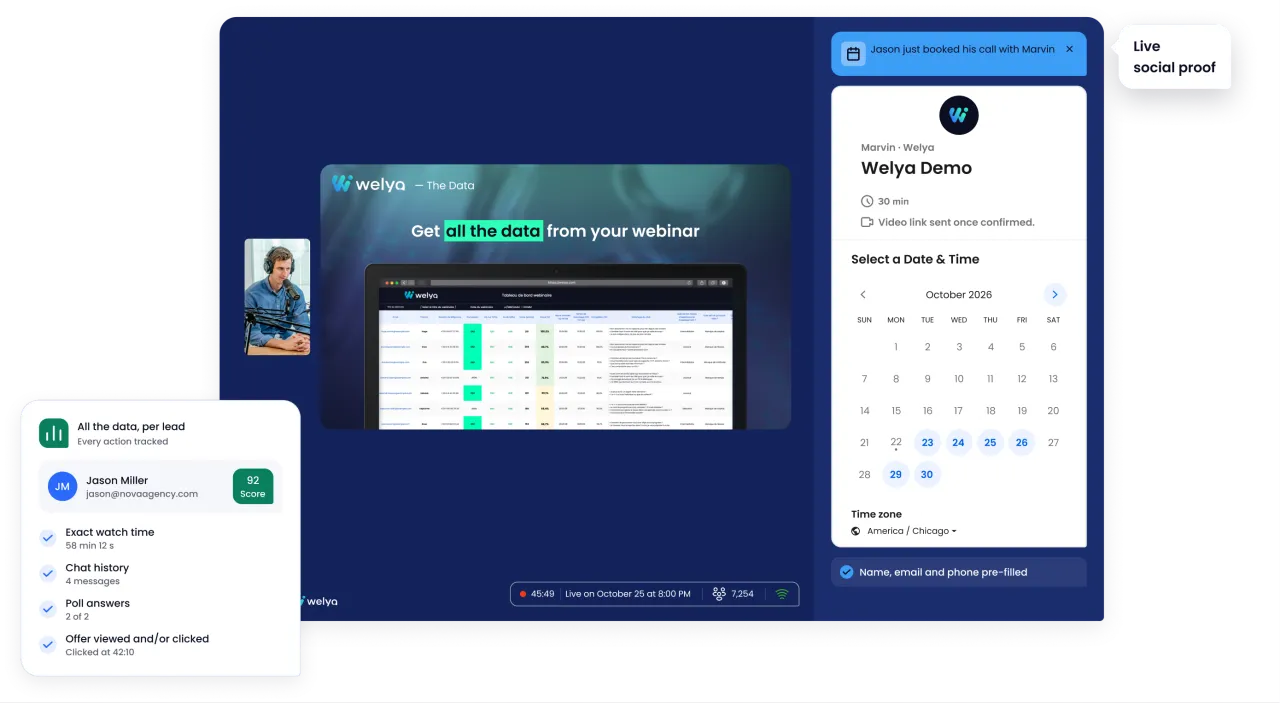
What if you could read the exact words your prospects use, know their real objections, and segment your emails based on how they behaved during the webinar? That’s exactly what Welya makes possible. With nearly 30 data points per attendee, sent to your CRM (webhooks, Make, export), Welya gives copywriters the most valuable raw material there is: the audience’s real words and behavior.
What you’re missing today to write copy that converts
The copywriter is cut off from the webinar
You write the copy upstream (landing page, invitation emails, posts) and downstream (follow-up sequences). But the webinar itself? You usually don’t have access to it.
With traditional platforms like Zoom, YouTube Live or WebinarJam, here’s what you get after a webinar:
- Number of registrants and attendees
- Attendance rate
- Sometimes: a verbal recap from the course creator
That’s it. No verbatims. No data on objections. No segmentation for your follow-up emails.
The 3 frustrations you know all too well
- You write generic follow-up emails: Someone who stayed 90 minutes and clicked on the offer gets the same message as someone who left after 10 minutes.
- You don’t know your audience’s real words: The real words your prospects use to describe their problems are in the webinar chat, and you don’t have access to it.
- You can’t iterate with real data: You iterate on gut feeling, not data.
What Welya adds to your copywriting toolbox
Welya captures the real behavior of every attendee and sends that data to your CRM (webhooks, Make, export). For a copywriter, it’s a gold mine.
Welya data copywriters can put to work
| Category | Welya data | What it changes for your copy |
|---|---|---|
| Chat | Full message history from every attendee | Your audience’s real words: questions, objections, vocabulary. The foundation of all good copy. |
| Polls | Answers to every poll (budget, situation, goals, obstacles) | Your audience’s real profile, not your theoretical personas. |
| Quizzes | Answers to interactive quizzes | Your audience’s real level of knowledge on the topic. |
| Scoring | Overall engagement score per attendee | Segment your emails: one email for the engaged, another for the passive. |
| Offer | Did they see the offer? Did they click? | Tailor the follow-up message to where each contact stands. |
| Time engagement | Watch time, time they left | Identify the topics that lose the audience. |
| Reason for leaving | Exit reason (if provided) | Understanding why people leave changes the follow-up message. |
| Label | Gamification tag | Identify VIP attendees for personalized nurturing sequences. |
6 practical techniques to use Welya data in your copywriting
Technique 1: Pull your audience’s exact vocabulary from the chat
The chat of a Welya webinar contains the exact words your prospects use to describe their problems, goals and obstacles.
Method: After each webinar, export the chat history from the CRM. Look for patterns: which words keep coming up? Which questions get asked over and over?
Real-world example: If 15 attendees write variations of “I’m scared to go it alone,” you have your copy angle for the next landing page. Not a theoretical angle, an angle based on real words.
How to use it:
- Landing page for the next webinar → Hook based on the most-asked question in the chat
- Social posts → Reuse attendees’ exact words (anonymized)
- Invitation emails → Use the audience’s vocabulary so prospects recognize themselves
Technique 2: Segment your post-webinar email sequences by behavior
With traditional tools, you send the same email to everyone. With Welya, you can build segmented email sequences based on real behavior.
Email segmentation matrix:
| Segment | Welya criteria | Email angle | Suggested subject line |
|---|---|---|---|
| The convinced | Score 70+, clicked the offer | Remove the last objection | “You were so close last night” |
| Engaged but no action | Score 50-69, active in chat | Reframe the value | “Your question from yesterday deserves an answer” |
| The silent ones | Score 30-49, stayed a long time | Educational: deliver value | “3 key points you may have missed” |
| The drop-offs | Score < 30 or left early | Recap + replay, no pressure | “You couldn’t stay, here’s the recap” |
| The no-shows | Registered but didn’t attend | Replay + FOMO | “247 people were there yesterday. Here’s what they discovered” |
Why it’s powerful: Instead of one generic email sent to everyone, you write personalized subject lines for each segment, more relevant to every reader.
Technique 3: Use poll answers to sharpen your personas
The polls you run during the webinar are real persona data, not marketing assumptions.
Real-world example:
- Poll “What’s your biggest obstacle?” → 45% answer “Lack of time,” 30% “Budget”
- Before Welya: You wrote a landing page with a “make money fast” angle
- After Welya: You rewrite it with a “even with 2 hours a week, here’s how to make progress” angle, because the #1 obstacle is time, not money
Technique 4: Write follow-up emails based on how people reacted to the offer
Welya tells you whether each attendee saw the offer and whether they clicked. That’s decisive for your follow-up emails. Closers can use the same data to prepare their sales calls.
- Clicked but didn’t convert → Direct email: “You checked out [offer] last night. Here are the answers to the 3 most-asked questions.”
- Saw it but didn’t click → Reframing email: “If you’re still on the fence, here’s a real example of [client result].”
- Didn’t see the offer (left before) → Content email: webinar recap + the offer introduced as something new.
Technique 5: Identify the topics that engage (and the ones that make people drop off)
Watch time and drop-off data tell you which topics hold attention and which ones lose it.
How to use it:
- Topics that engage → Turn them into landing page angles, article topics, hooks for posts
- Topics that make people drop off → Reframe or cut them, and definitely don’t base your copy on them
- Recurring chat questions → Turn them into landing page FAQs, email subject lines, Instagram carousels
Technique 6: Build a living swipe file fed by every webinar
A swipe file is your library of hooks, objections and angles that work. With Welya, every webinar feeds it automatically. Round it out by studying your competitors’ funnels with Whoscale.
Method: After each webinar, create a summary sheet:
- Top 5 chat questions (→ potential hooks)
- Top 3 objections identified in the polls (→ reassurance angles)
- Dominant profile of the audience (→ up-to-date persona)
- Peak engagement moment (→ topic to capitalize on)
- Drop-off moment (→ topic to avoid or reframe)
It’s a virtuous circle: the more webinars you run with Welya, the richer your swipe file gets, the sharper your copy becomes, and the better your webinars convert.
Automatic integration with your CRM
All Welya behavioral data is sent to your CRM after each webinar (webhooks, Make, export). You can segment, filter and export the data you need, without asking the course creator for a recap.
Compatible tools
- Email marketing: ActiveCampaign, Brevo, Kit, Mailchimp
- Funnels: ClickFunnels, systeme.io, Kajabi
Recap: before Welya vs with Welya for copywriters
| Criterion | Without Welya | With Welya |
|---|---|---|
| Audience vocabulary | Theoretical personas, guesswork | Exact words from the chat: questions, objections, real vocabulary |
| Email segmentation | One email for everyone | Sequences segmented by score, offer behavior, watch time |
| Knowing objections | The copywriter’s intuition | Polls + chat questions = real objections |
| Personalized follow-ups | Generic (same message for everyone) | Based on behavior: clicked the offer, saw it, left early |
| Calibrating copy level | Estimating the audience’s level | Quiz answers = real level of knowledge |
| Winning topics | Verbal feedback from the course creator | Watch time data + drop-off moments + chat peaks |
| Iteration between webinars | On gut feeling | Swipe file fed by real data from every webinar |
| CRM integration | Manual (the course creator’s recap) | Automatic, data ready to use |
| Conversion impact | Copy based on assumptions | Copy based on data → improved conversion rate |
Conclusion: from gut-feeling copy to data-driven copy
The copywriter who writes landing pages, emails and posts based on the behavioral data from every webinar has a decisive edge. They no longer guess, they know. They know their audience’s exact words, real objections, level of knowledge, and how they react to the offer. Every webinar enriches their swipe file. Every email sequence is segmented. Every landing page is calibrated. Welya doesn’t replace your copywriting talent, it feeds it with data.
Discover Welya and turn every webinar into a source of data-driven copy. Writing for several course creators? The Welya affiliate program pays you on subscriptions that come through your link, under the program’s terms.